British Railway Guides
From first join to clean scored routes with Drivers and Guards working together.
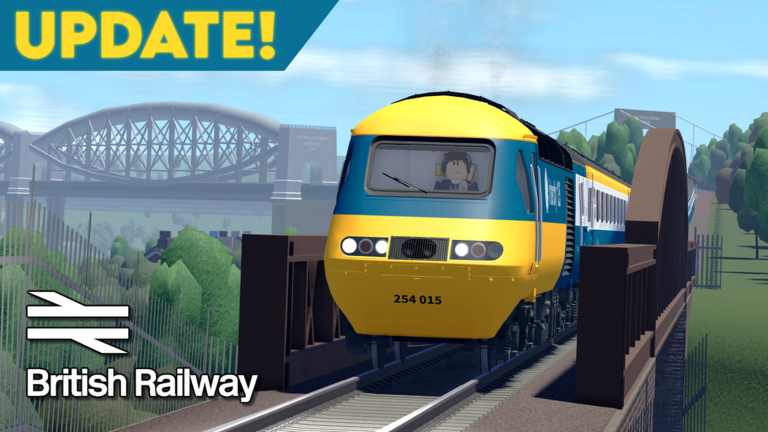
This Guides Hub is the practical map of British Railway on Roblox by Fourth Rail. The game is publicly available online with three player-facing roles—Driver, Guard, and Passenger—and a Coins economy tied to route score, stop procedures, tickets, and the Robux shop. Use the pages below when you want a deep walkthrough instead of a one-line tip.
Start here
If you just clicked Play, open Getting Started first. It covers joining a server, picking a role, and surviving your first hour without a SPAD spiral. Pair it with the controls page and the controls cheatsheet so W/S throttle, A/D brake, doors, pantograph, and Guard bells become muscle memory.
New crews should also skim roles overview to understand how Driver, Guard, and Passenger share responsibility for safe departures, especially around the OFF indicator and class-specific door procedures introduced around version 1.4.
Driving and signalling
Driving is where most score is won or lost. How to drive walks throttle discipline, station stops, AWS respect, and working with a Guard’s buzzer. Signals and SPAD explains Danger (red stop), Caution (slow toward about 45 mph), Preliminary caution, Proceed at line speed, and why a SPAD costs three score points.
Keep score and penalties open while you practice: +10 per stop, penalties for speeding more than about five mph over, skipping stations, and ignoring AWS. Leaving early with score above ten still pays partial Coins—useful when a route goes wrong but not worthless.
Guarding and Coins
How to guard covers Looking For Guard / Friends / Other UI, whistle (H), signal bell (Y), door coordination, and ticket Coins—five Coins per stop procedure and up to forty from tickets at four Coins each. A Guard also adds roughly +2 score per stop, about a twenty percent route bonus for the Driver’s payout math.
How to earn coins ties Driver score payouts, Guard tickets, Passenger six-Coins-per-stop income, and Robux shop spending into one economy guide. For shop framing and unlock priorities, continue to coins and shop.
Hub map
| Guide | Best for |
|---|---|
| Getting Started | First session plan |
| How to Drive | Throttle, stops, crew comms |
| How to Guard | Doors, tickets, LFG UI |
| How to Earn Coins | Payout routes without exploits |
| Signals and SPAD | Aspects and penalty avoidance |
| Controls | Desktop default keybind reference |
| Starter Trains | Free Class 142 / 150 / 230 pick |
| Brynmouth Coastal | Mill Bridge rebuild & terminus |
| Bi-Mode Power | Pantograph, diesel, no-power recovery |
| Fayre Branch | Post-1.4 branch relocation |
| Class Doors | v1.4 door groups by stock |
The header Guides dropdown shows the first eight leaves, then View all in Guides for the rest—bookmark this hub.
Cross-category links worth keeping nearby: trains tier list, routes tier list, Codes Hub (currently no active codes), Updates Hub, and community links on wiki.
How we write these guides
Each leaf guide aims for real procedure depth—station workflow, signalling judgment, and Coin math—not filler synonyms. Facts stay aligned across pages: released Roblox online play, Coins currency, desktop defaults listed on controls pages, and v1.4 themes such as reworked signalling, ghosting, guarding UI, class-specific doors, Class 150/230/180 stock, and the Brynmouth coastal extension.
We are an unofficial fan site at britishrailway.wiki, separate from the Fandom wiki and from Fourth Rail’s own channels. When mechanics change, patch notes on the Updates Hub win over outdated muscle memory.
Learning path suggestion
- Getting Started + Controls
- One Passenger ride to learn stations, then a short Driver run
- Signals and SPAD before busy mainline attempts
- How to Guard so you can fill Looking For Guard listings
- How to Earn Coins once your SPAD rate drops
- Starter trains before spending Coins on Class 180
- Brynmouth coastal and bi-mode power when you leave the depot comfort zone
- Tier lists and version 1.4 notes for patch context
- Fayre Branch after Mill Bridge and Brynmouth basics
- Class door procedures before intercity stock experiments
If someone offers a script that “does driving for you,” read scripts first. Legitimate play plus this hub will take you further than a ban risk.
Related hubs
Explore the Players Hub for role and economy framing, the Tools Hub for quick-reference sheets, and the Tier List Hub when you are ready to prioritise trains and routes. Return here whenever a patch rewires doors or signals—start with the matching guide, then confirm details in updates.
Frequently Asked Questions
Quick answers for British Railway drivers, guards, and passengers.
Which guide should absolute beginners open first?
Start with Getting Started, then Controls, then a short Passenger or easy Driver run before deep signalling study.
Do these guides assume a Guard is present?
Driving pages explain solo habits, but Guarding guides show how Looking For Guard pairings improve score and Coins.
Are desktop controls the same on mobile?
Guides document desktop defaults (W/S, A/D, and related keys). Mobile uses on-screen controls with the same actions.
Where do patch changes show up?
Check the Updates Hub and Version 1.4 notes, then re-read Signals, Guard, and Controls pages if doors or signalling changed.