British Railway Controls
Desktop defaults for Drivers and Guards—power, brake, doors, bells, and bi-mode switches.
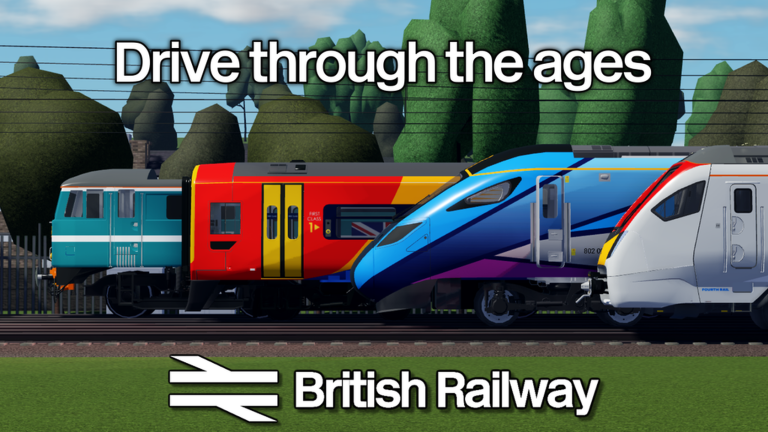
This controls guide lists the desktop defaults players expect in British Railway on Roblox by Fourth Rail, then explains how those keys fit real role workflows. Mobile and controller layouts map to the same actions with on-screen buttons; when in doubt, match the action name, not the letter.
For a compact printable view, use the controls cheatsheet. For scored technique, continue to how to drive and how to guard.
Driver movement and safety keys
| Key | Action |
|---|---|
| W | Throttle up |
| S | Throttle down |
| A | Brake apply (separate brake-handle trains) |
| D | Brake release (separate brake-handle trains) |
| E | Emergency brake |
| T | Doors (context) / respond to Guard buzzer in expected workflows |
| P | Pantograph |
| O | Diesel engine toggle on bi-mode units |
| U | Unlock panel |
| R | Local door |
Throttle and brake are separate skills. Players who treat E as their only brake create lurching station stops and panic SPADs. Prefer shaped A/D applications, then notch S down early when signals and SPAD promise Caution or Danger.
Guard-focused keys
| Key | Action |
|---|---|
| H | Whistle |
| Y | Signal bell |
| R | Local door when procedure needs it |
| T / buzzer loop | Coordinate with Driver responses |
Guards should not hoard Driver throttle keys “just in case.” Your value is procedure clarity—especially after version 1.4 class-specific door rules and Looking For Guard UI.
Contextual doors and why T feels busy
T is busy because doors are contextual and because crew acknowledgement may share mental space with door timing. Build a personal checklist: brake to stand, correct side, door procedure for the class (150 / 230 / 180 differ), wait for Guard, check OFF-related departure safety, then power. If you mash T while still rolling, you are inventing problems.
Pantograph and bi-mode discipline
P and O exist because traction mode is part of professional driving. Raising a pantograph in the wrong context or leaving diesel toggles wrong can leave you underpowered mid-route—sometimes mistaken for “lag.” Confirm mode during prep, not halfway through a Brynmouth coastal push. Stock priorities: trains tier list.
Unlock panel and local door
U and R support class and depot realities. New players skip them, then claim the train is broken. If a panel refuses input, try unlock before restarting Roblox. Local door is part of Guard/Driver choreography on certain stock—pair with roles overview.
Practice routine for keybinds
- In a quiet depot or easy route from the routes tier list, touch every key once.
- Drive a single station approach using only W/S/A/D/E awareness without doors.
- Add door + Guard bell timing on the next lap.
- Add P/O tasks on appropriate stock.
- Review penalties in score and penalties when a misclick costs score.
Controls vs Coin outcomes
Bad binds create speeding, SPADs, and skipped recovery—each a Coin leak explained in how to earn coins. Good binds make Guard pairings smoother, protecting the ~+2 score per stop bonus. Codes are not a substitute; the Codes Hub still shows no active promos.
Accessibility and comfort tips
- Lower camera shake distractions if you miss signals.
- Rebind only if Roblox/experience settings allow and you document your layout for crew mates.
- Call keys in Discord voice the same way this wiki does so crews share language.
- After patches, re-verify doors and signalling interactions on the Updates Hub.
Related pages
Getting started · Guides Hub · Tools Hub · Wiki · Scripts warning
Learn the letters, then forget them—your hands should find brake before your eyes find red.
Frequently Asked Questions
Quick answers for British Railway drivers, guards, and passengers.
What are the default throttle keys?
W increases throttle and S decreases throttle on desktop defaults.
How do separate brake handles work?
A applies brake and D releases brake on trains that use a separate brake handle.
Which keys do Guards use most?
H for whistle, Y for signal bell, plus door/local door keys during platform procedure.
What does O do?
O toggles the diesel engine on bi-mode units when that traction mode is required.
Is there a one-page controls summary?
Yes—use the Tools Hub controls cheatsheet for a compact reference beside this deeper guide.